
Issue:
As per Atlantic’s security policy, network passwords are set to expire every 90 days. You received an email stating that your password is expiring soon, and you need to change your password.
Password Requirements:
Passwords cannot contain parts of your real name or username
Passwords must contain a minimum of 10 characters
Passwords must include at least 3 of the following 4 levels of complexity:
- At least one upper case letter
- At least one lower case letter
- At least one special character
- At least one number
Solution:
- Once you are successfully logged onto your computer press Ctrl-Alt-Del on your keyboard. You will
be presented with a screen similar to the one shown below. Click on Change a password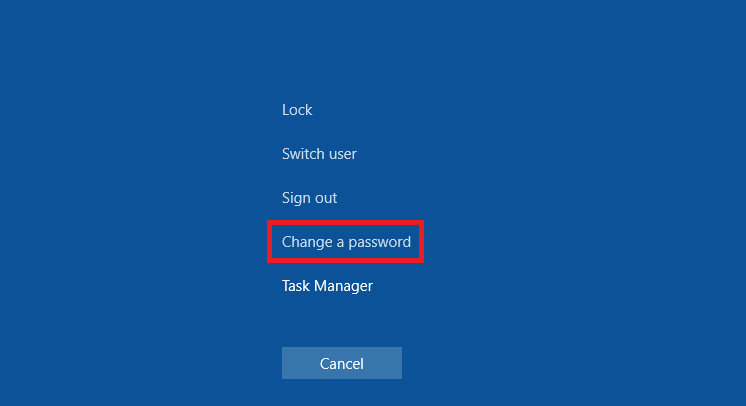
- Now you will see a screen as shown below. Make sure that the top field shows
CORP\ before your username, and then fill out the Old Password, New Password, and Confirm New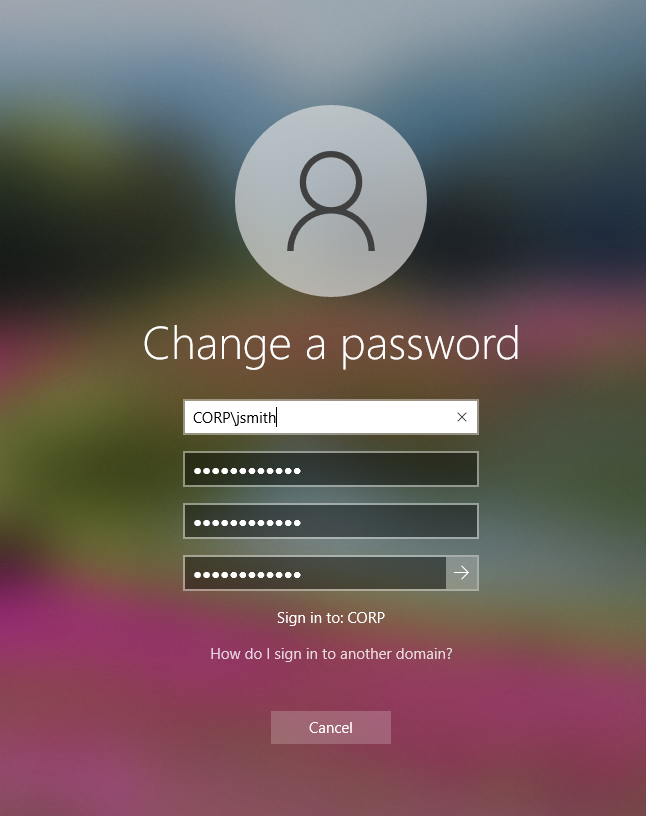
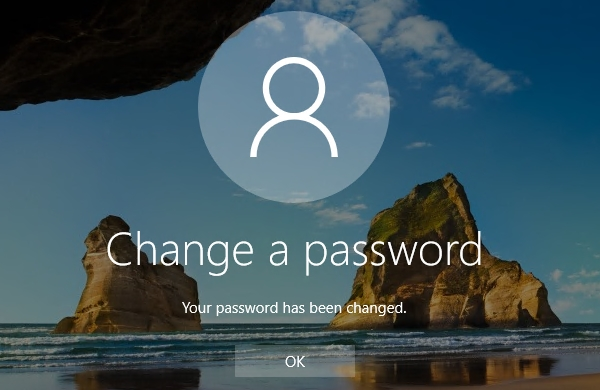
- You should then receive a message stating that you have successfully changed your password, as seen here:
-
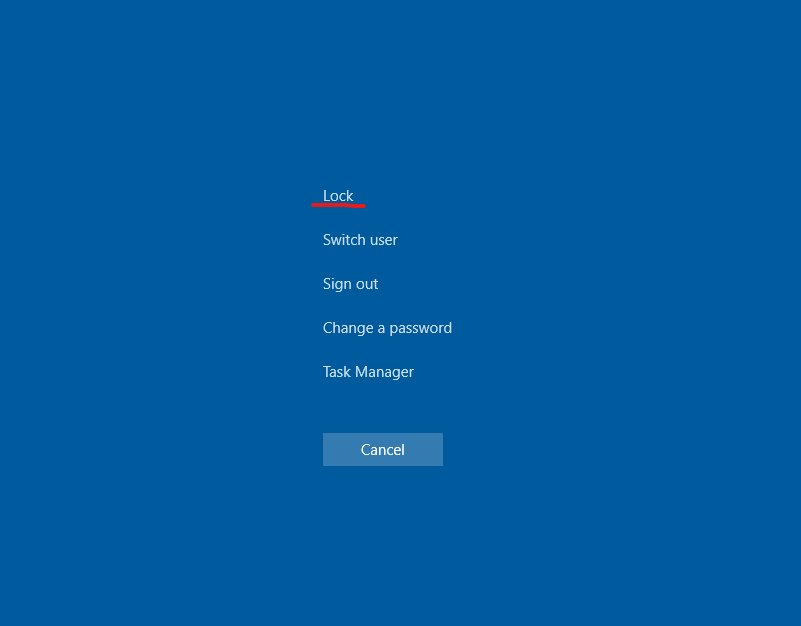
Press CTRL-Alt-Delete, Choose to Lock Computer, Press any key to unlock the computer and enter your NEW password.
Comments
0 comments
Please sign in to leave a comment.