
Outlook by default requires users to double click an email to open it in a new window, which changes the unread icon to read. To change this into a single click open or vice versa: On Outlook, go to
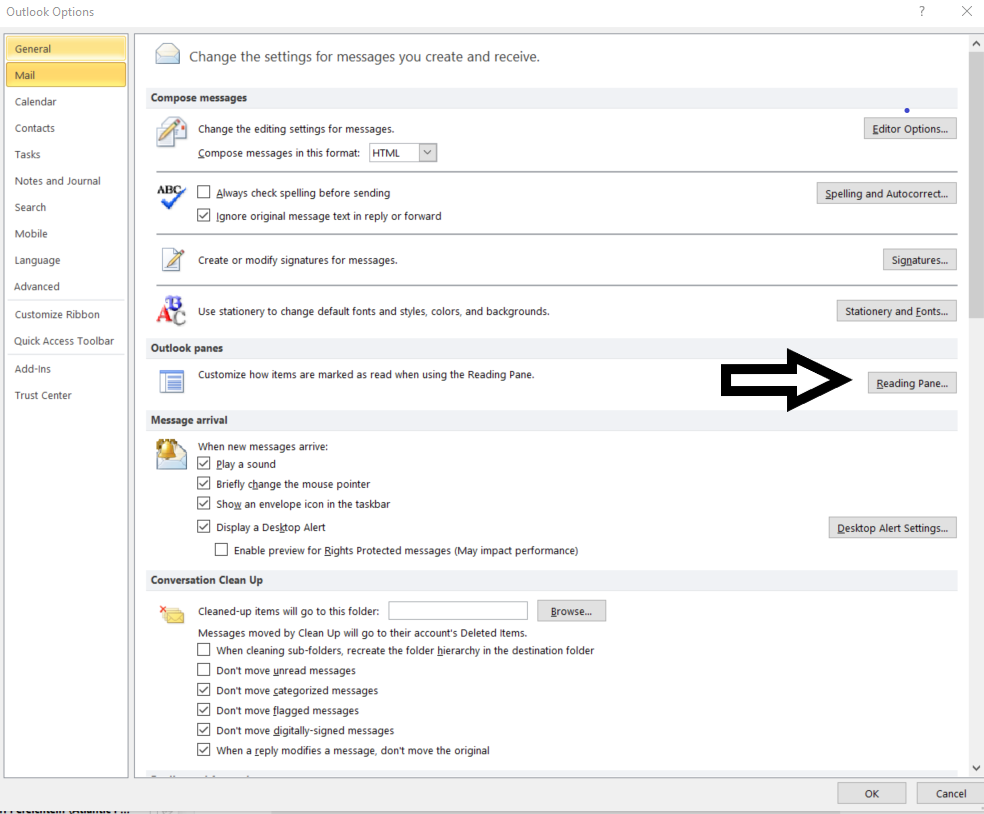
- File > Options > Mail > Reading Pane
- The Reading Pane opens up
- Check "Mark items as read when viewed in the Reading Pane" to turn on single click read
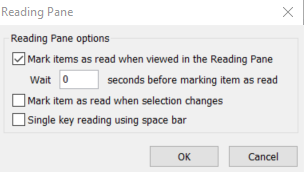
You can customize how much time in between clicks to change the unread icon to read.
To turn off single click read simply uncheck the "Mark items as read when viewed in the Reading Pane" and click OK
Comments
0 comments
Please sign in to leave a comment.