
Launch Outlook
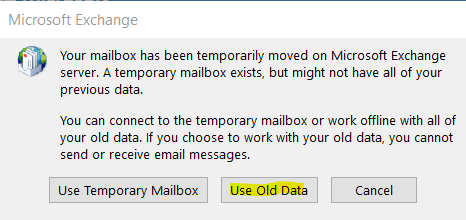
If this prompt pops up > click Use Old Data
Backup Email
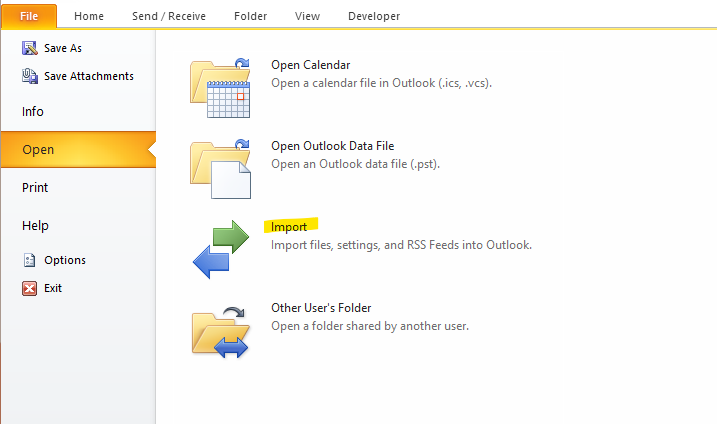
File > Import
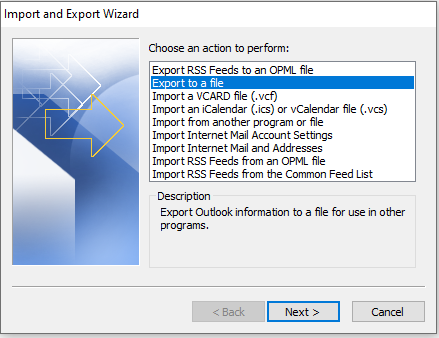
Export to a file >Outlook Data File (.pst) >
Select email account for all folders > Save it in C:\Outlook Backup\backup.pst > Finish
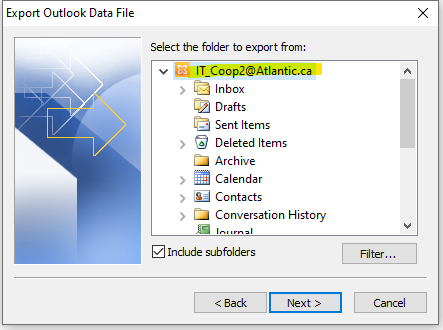
It will export all of the old emails into a .pst file in that location. It will take some time depending on how big the inbox is and how fast the computer is.

Comments
0 comments
Please sign in to leave a comment.